


How to Get Custom Shirts Made the Right Way

You're staring at a blank custom-shirt order form, wondering whether to choose the garment, create the design, or ask for a quote first. Then someone mentions a firm event date, another person still hasn't submitted a size, and the logo you have is a tiny image copied from a website. That's how a straightforward shirt order turns into rushed approvals, wrong sizes, and avoidable reprints.
The reliable way to get custom shirts made starts before the artwork reaches a printer. You need a clear purpose, a realistic size count, a usable design file, the right decoration method, and enough time for proofing and quality control. The custom apparel market is expanding beyond occasional event orders. One industry estimate values the global custom t-shirt market at $1.95 billion in 2023 and projects $3.72 billion by 2030, with a 9.7% CAGR from 2024 to 2030 (custom apparel market estimate). That demand includes single shirts, team runs, uniforms, creator merchandise, and branded workwear.
Table of Contents
Starting Your Custom Shirt Order With a Clear Plan - Define the order before designing - Make the brief usable
Preparing Artwork That Prints Cleanly the First Time - Use the right file format - Size the artwork for the shirt
Choosing the Right Garment, Color, and Print Method - Match the method to the job
Reviewing Samples and Proofs Before Production - Know what the proof must confirm - Give revisions once, clearly
Understanding Custom Shirt Pricing and Quote Details - Read the line items - Ask about quantity thresholds
Production Timeline, Shipping, and What to Expect - Build the schedule around decisions - Treat shipping as part of the plan
Common Mistakes When Ordering Custom Shirts - Fix the preventable errors
Starting Your Custom Shirt Order With a Clear Plan
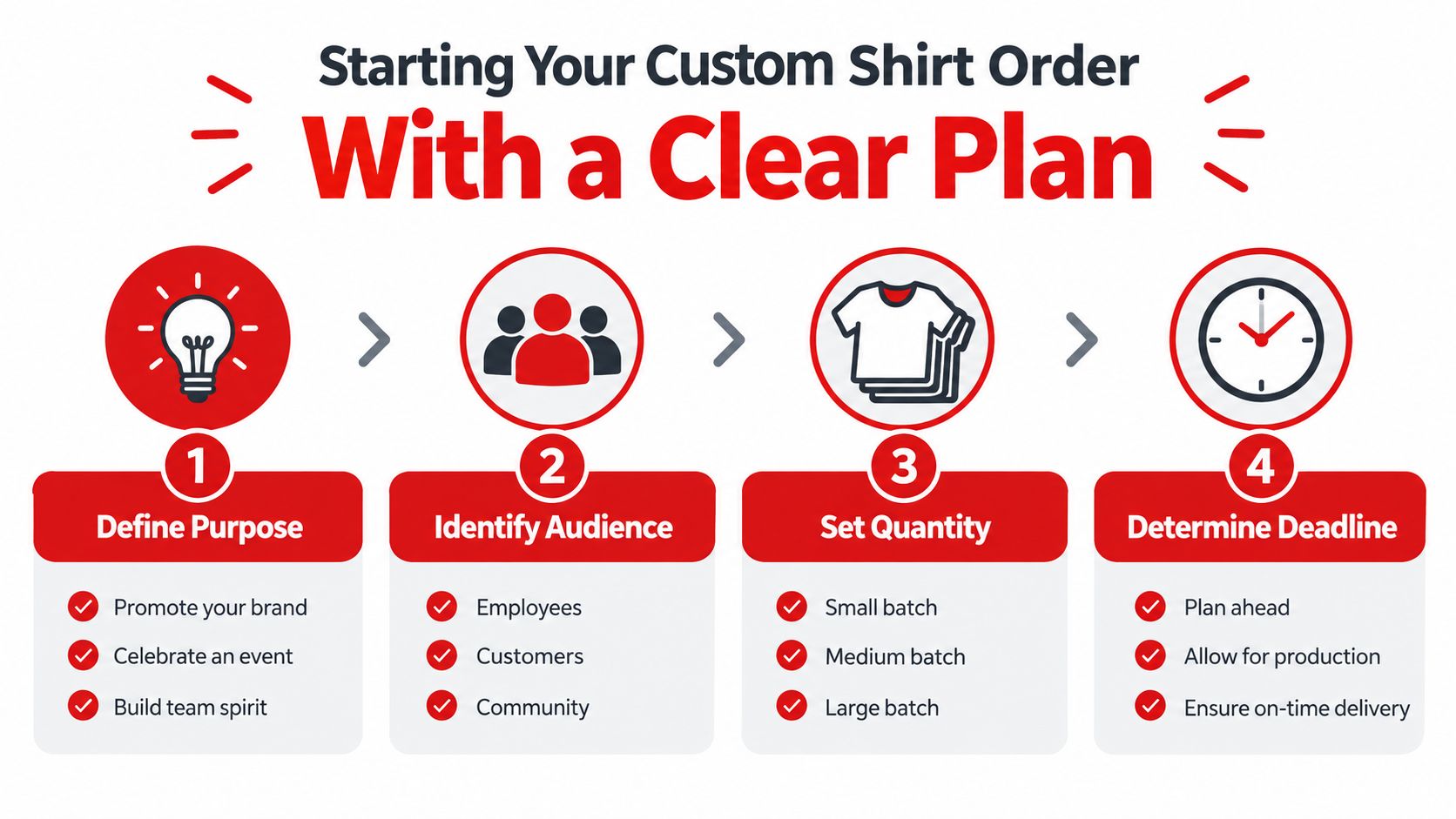
The first decision isn't your font or shirt color. It's what the shirts need to accomplish. A reunion shirt, a ranch work shirt, a staff uniform, and a product for resale may all use the same blank tee, but they need different choices for durability, sizing, decoration, and budget.
Define the order before designing
Write down the purpose in one sentence. For example, “These shirts identify event staff,” or “These hoodies are merchandise for a small apparel drop.” Then identify who will wear them. Staff may need a consistent color and easy-care fabric, while customers may expect a softer retail-style garment and a wider size range.
Next, count actual people rather than estimating from a round number. For a group order, collect names and sizes before approving the final quantity. Include a small allowance only if your supplier recommends it and your budget supports it. A pile of unrequested medium shirts isn't a saving.
Set the in-hand date, not just the date you want the order shipped. An event organizer needs time to receive, count, and distribute the shirts. Work backward from that date, allowing room for artwork revisions, garment substitutions, production, quality checks, and transit.
Make the brief usable
A printer needs more than “something bold with our logo.” Your brief should include:
Purpose: Event, team, resale, uniform, promotion, or personal use.
Audience: Who wears the shirt and what fit or fabric they prefer.
Quantity: A size-by-size count, not only a total.
Placement: Left chest, full front, back, sleeve, or multiple locations.
Deadline: The date the shirts must be in your hands.
Budget ceiling: The maximum acceptable cost per shirt, including known extras.
Separate hard requirements from preferences. A hard deadline affects the production plan. A preferred shade can sometimes change if the original garment is unavailable. Also distinguish inspiration from production-ready artwork. A screenshot, sketch, or reference shirt can guide the designer, but it may not be printable without reconstruction.
The rest of the process follows these decisions. Artwork must be prepared for the selected placement, garments must suit the wearer and decoration method, and proof approval must happen before the production clock really matters.
Preparing Artwork That Prints Cleanly the First Time
A printer can often repair a file, but every repair introduces uncertainty. Low-resolution logos become soft, missing fonts change typography, and artwork without transparency can place an unwanted rectangle on the shirt. Send a file that matches the intended print size, not merely a file that opens on your computer.
Use the right file format
For raster artwork, provide a PNG with a transparent background. For logos, lettering, and shapes that need to scale cleanly, an AI or SVG vector file is usually more flexible. A PDF can work when it contains vector artwork, but a PDF made from a screenshot may still be low quality.
Export raster artwork at 300 DPI at the final print size. If the design will print at a particular width, build or export it at that width rather than enlarging a small web image. Website logos and social-media graphics are designed for screens, not necessarily for garment production.
Spec | Requirement |
|---|---|
Raster format | PNG with transparency |
Vector format | AI or SVG |
Resolution | 300 DPI at final print size |
Color preparation | CMYK or the printer's requested color profile |
Text | Outlined, or supplied with the required font |
Background | Transparent when the garment should show around the artwork |
RGB files can shift when converted for print, especially with bright screen colors. If your brand depends on a specific palette, provide CMYK values, spot-color information, or the printer's requested profile. Hex values can help communicate the intended digital color, but they aren't a guarantee of the final garment result.
Size the artwork for the shirt
A left-chest mark is commonly around 4 inches wide, while a full-front graphic is often around 10 to 12 inches wide. Those are starting points, not universal rules. The garment size, neckline, seams, design proportions, and wearer's body all affect the final placement.
Do export at the actual print width. Do outline text or include the font. Do separate spot colors when an exact brand match matters. Don't send a low-resolution logo pulled from a website, keep text editable without supplying the font, or assume a screenshot will scale cleanly.
Transparent backgrounds matter especially for DTF transfers on dark garments. The printer can create the intended artwork shape instead of applying a rectangular image field. Before approval, inspect thin lines, small text, gradients, and areas where the design relies on a transparent edge.
Choosing the Right Garment, Color, and Print Method
The blank garment is part of the finished product, not just a carrier for ink. A lightweight tee may suit a summer event, while a heavier fleece may better fit branded workwear or a premium merchandise line. Choose the wearer's use first, then match the decoration process to the garment.
A 4.5-ounce lightweight shirt generally feels cooler and less substantial than a 6.1-ounce heavyweight shirt. A cotton-polyester blend may resist some wrinkles and offer a different drape from 100% cotton, while cotton often provides a familiar natural hand feel. Fabric composition also affects which inks, transfers, and curing settings work reliably.
Garment style matters as much as fabric. T-shirts are versatile, long sleeves add coverage, polos create a more uniform appearance, and tanks fit warm-weather or athletic use. If the order includes different garment types, don't assume one decoration setting will produce the same appearance on every piece.
Match the method to the job
DTF, or direct-to-film, is a practical choice for detailed artwork, dark garments, mixed fabrics, and small runs. A typical workflow requires 30 to 60 minutes of setup for film printing and curing, followed by about 30 to 60 seconds of heat pressing per shirt (DTF production timing guide). It avoids the screen setup that can make a small order inefficient, although film handling and staging still take time.
Screen printing produces strong, familiar results for larger quantities of the same design. The setup becomes easier to justify as identical quantities rise, and one industry comparison identifies roughly 24 identical pieces or more as a point where screen printing may become more cost-efficient (screen printing and DTF comparison). DTG suits detailed, full-color artwork on compatible cotton garments. Heat-transfer vinyl works well for simple lettering, names, and solid shapes. Embroidery is appropriate for polos, caps, jackets, and durable raised branding, but it isn't a direct substitute for a detailed printed image.
Method | Best For | Minimum Quantity | Detail Level |
|---|---|---|---|
DTF | Small runs, mixed garments, dark fabrics | Low or single-item orders | High |
Screen printing | Repeated designs and larger runs | More economical as quantity rises | Strong solid graphics |
DTG | Detailed artwork on suitable garments | Low runs | High |
Heat-transfer vinyl | Names, numbers, and simple shapes | Low or single-item orders | Limited to cut shapes |
Embroidery | Polos, jackets, hats, and workwear branding | Low or batch orders | Best for stitched designs |
The DTF production example illustrates why the method suits detailed, flexible garment decoration. For a heavier option, the RXB Marlboro Rodeo Hoodie uses an 8.5 oz./yd² 70/30 ring-spun cotton/polyester 3-end fleece blend with a 100% cotton face, a generous fit, fleece-lined hood, and a three-dimensional velvety chest logo.
Test contrast on the actual garment color before placing the full order. Dark heathers can soften or muddy fine detail, and a design that looks crisp on white may lose separation on charcoal. Pick the method that matches your quantity, fabric, and detail level instead of forcing every order through one process.
Reviewing Samples and Proofs Before Production
A digital mockup shows the concept. It doesn't fully prove the garment's hand feel, print texture, actual color, or how the artwork sits across a torso. A physical sample is the safest way to find a sizing, placement, or fabric problem before it affects the entire order.
Know what the proof must confirm
Review the artwork at 100% zoom on a suitable display, not as a tiny preview on a phone. Check that small text remains legible, gradients don't show unwanted banding, and the print area clears collars, seams, pockets, zippers, and other construction details.
Ask the printer how color will be controlled. Confirm the intended Pantone or hex reference, but understand that the garment, ink, transfer, and curing process can affect appearance. A sample gives you a physical reference that a screen cannot.
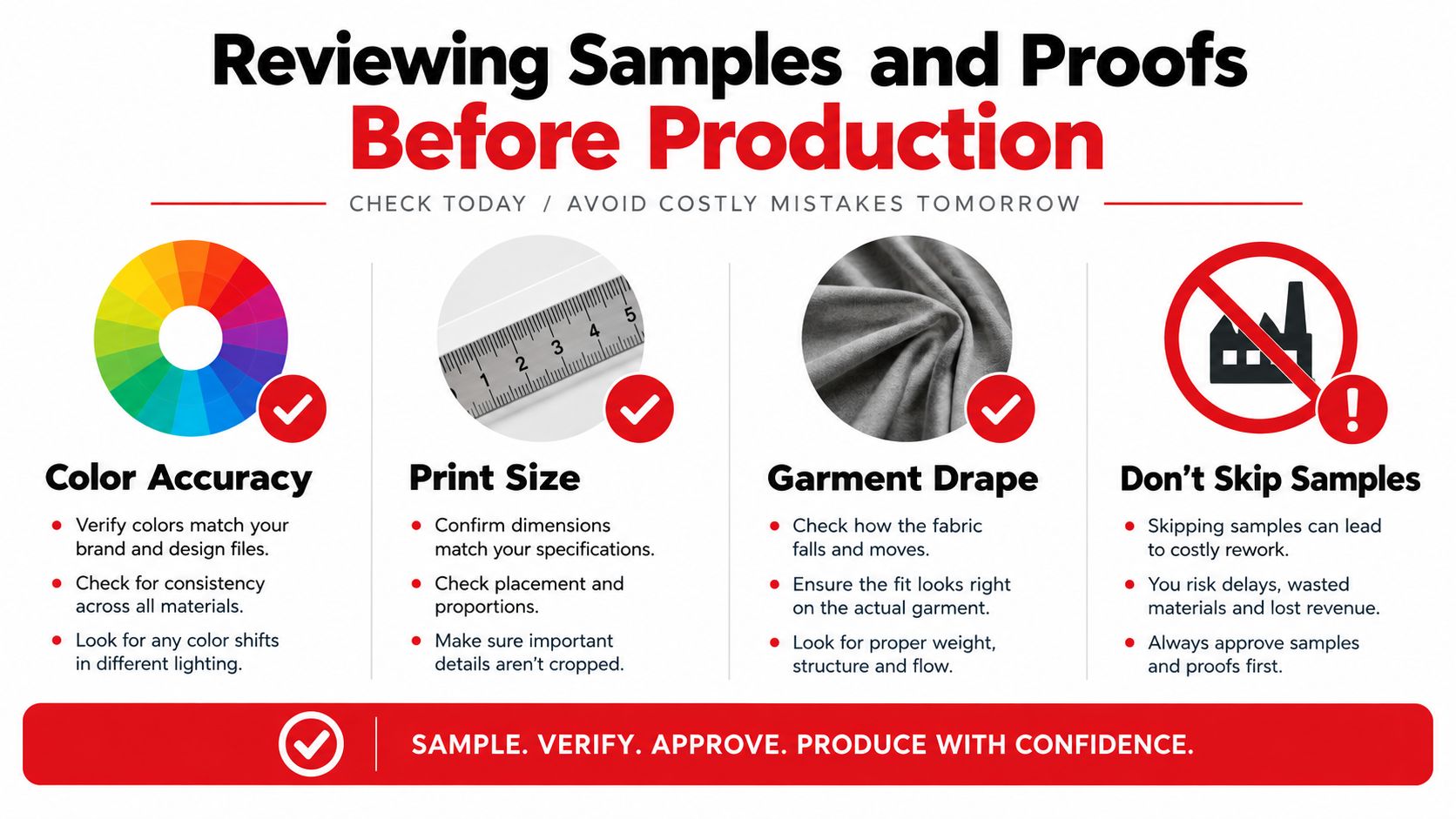
Inspect the sample on a real person or torso form. Look at the design from normal standing distance, check whether the neckline makes the placement feel too high, and compare the garment's drape with the intended use. For a large run, strict brand colors, or a new garment style, a pre-production sample usually earns its extra lead time.
You can sometimes approve a digital proof without a physical sample for a familiar blank, simple artwork, flexible timing, and a low-risk personal order. That choice transfers more responsibility to the buyer, so the proof should still show garment color, print dimensions, placement, and decoration method.
Give revisions once, clearly
Piecemeal feedback causes version confusion. Send one annotated image or PDF with numbered comments, and identify the exact file version being reviewed.
Useful feedback sounds like this:
“Move the left-chest logo down by one inch.”
“Set the full-front width to 11 inches.”
“Replace the blue with the supplied brand color reference.”
“Keep the current artwork, but outline the headline text.”
Name files consistently, such as , and don't use “final” until the proof is approved. The placement reference image can help communicate where a graphic should sit, but your approved proof should remain the controlling document.
Understanding Custom Shirt Pricing and Quote Details
A custom-shirt quote usually combines four separate costs: the blank garment, decoration, setup or preparation, and fulfillment. If you only compare the final unit price, you may miss why two vendors quote different totals for what appears to be the same order.
Read the line items
Setup costs may include screen preparation, artwork preparation, DTF film preparation, or other prepress work. DTF can be practical for small orders because it doesn't require a separate screen for each color, but it still needs artwork checks, film printing, curing, transfer handling, and pressing.
The print area also changes the quote. A left-chest print uses less material and labor than a full front, while adding a back or sleeve location creates another production task. Color count matters more for some methods than others, so ask how the vendor calculates each location.
Garment cost depends on style, fabric, color, and size mix. A basic tee and a heavyweight hoodie shouldn't be evaluated as interchangeable products. Ask whether the quote includes every requested size and color, or whether some garments are treated as substitutions or special orders.
Cost Driver | What It Covers | When It Hits Hardest |
|---|---|---|
Setup or prepress | Screens, film preparation, file preparation, and production setup | Small or technically complex jobs |
Print area | Front, back, sleeve, or multiple locations | Larger graphics and several placements |
Garment | Blank style, fabric, color, and size range | Premium blanks, hoodies, and unusual sizes |
Quantity break | Changes in unit pricing at order thresholds | Small orders compared with repeated bulk runs |
Fulfillment | Packing, shipping, and possible split shipments | Tight deadlines or distant delivery locations |
Ask about quantity thresholds
A ten-shirt order rarely receives the same unit economics as a repeated bulk run. Some vendors use quantity breaks, but the exact thresholds vary, so ask for the price at the quantities you're genuinely considering rather than assuming a larger order will save money.
The production method should follow the order pattern. DTF often makes sense when sizes, garment colors, or artwork details vary. Screen printing may become the stronger financial choice when many pieces carry the same design. A quote should state whether rush service, separate designs, proof revisions, shipping, taxes, and replacement garments are included or billed separately.
Request a written total before approval. If the event date is fixed, ask whether expedited production or shipping is available and what each option changes. Paying a rush fee to correct a late size spreadsheet is a planning failure, not a production strategy.
Production Timeline, Shipping, and What to Expect
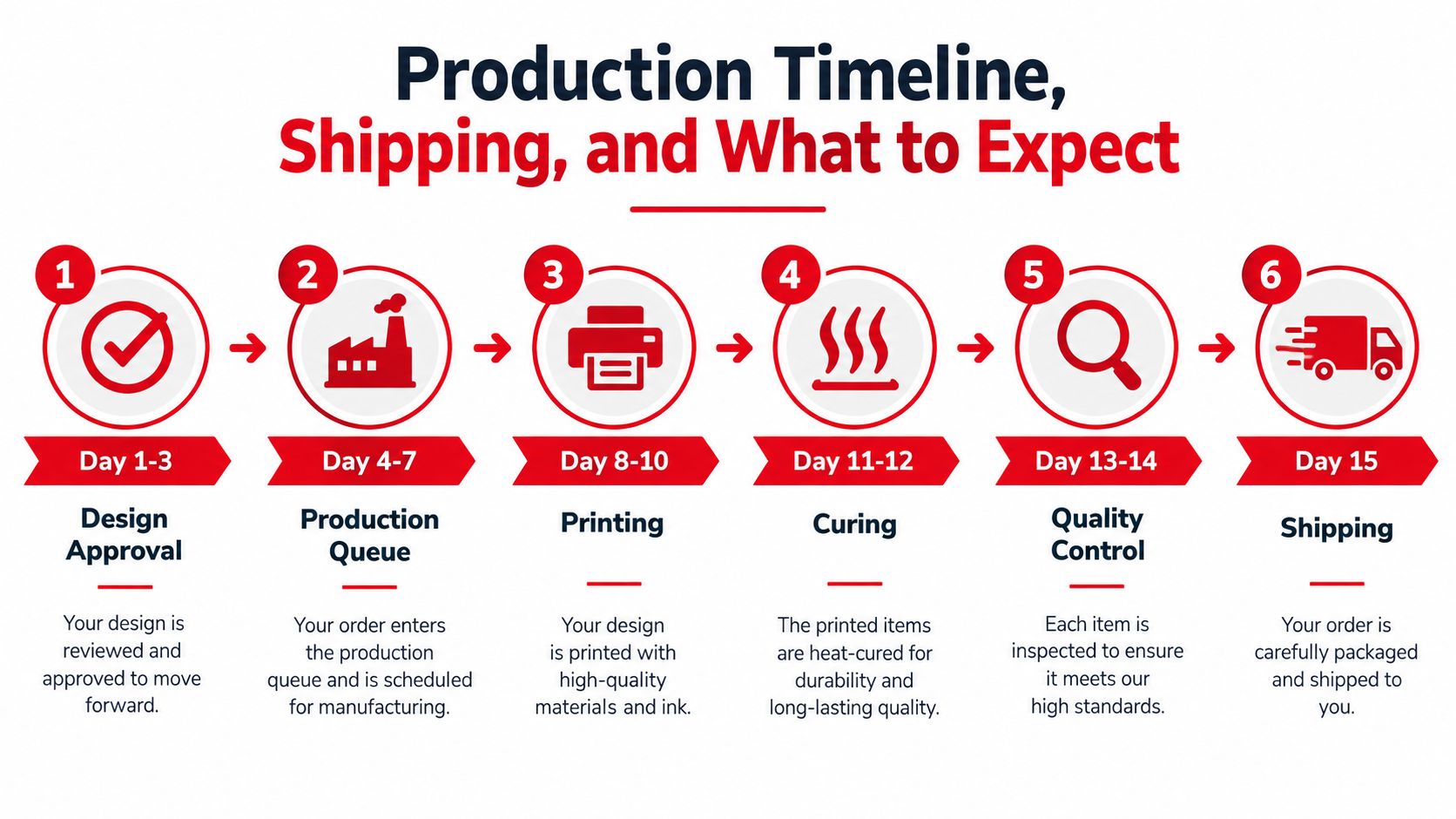
The production clock should start after artwork approval, size confirmation, garment confirmation, and order acceptance. Before that point, the printer may still be waiting for decisions that prevent the job from entering the queue.
A DTF workflow may include film printing and curing, transfer preparation, heat pressing, folding, packing, quality checks, and shipment. Smaller systems are reported at 30 to 50 finished garments per hour, mid-range systems at 50 to 80, and industrial systems at 80 to 120 or more, depending on automation and workflow (DTF capacity comparison). Those figures describe production capacity, not a guaranteed door-to-door turnaround.
Build the schedule around decisions
A useful order sequence looks like this:
Confirm the brief and artwork. The printer needs the final design, print locations, garment choices, and quantities.
Collect sizes by a hard cutoff. Don't leave the spreadsheet open until production is ready to start.
Approve the proof. Record the approved version and the date of approval.
Confirm garment availability. A missing color or size can force a substitution or delay.
Allow production and quality control. Printing isn't the only work. Curing, pressing, folding, counting, and inspection take time.
Choose transit based on the in-hand date. Shipping speed is separate from production speed.
Group orders often stall during size collection rather than at the press. Independent buyer guidance recommends setting a firm size-collection cutoff and asking for the in-hand date before ordering (custom apparel buyer checklist).
Treat shipping as part of the plan
Ground shipping may be adequate when the date is flexible. Expedited shipping can protect a fixed event date, but it can't always rescue a late approval or unavailable garment. Ask for tracking when the order ships, confirm the delivery address, and decide in advance whether a split shipment is useful if part of the order is ready earlier.
When the box arrives, count garments, compare sizes and colors with the approved order, inspect print placement, and check for visible defects before distributing anything. For bulk work, one apparel quality guide cites a 5,000-piece order using a 200-piece sample under General Inspection Level II, with AQL 2.5 allowing 10 major defects and 14 minor defects (apparel quality and sampling reference). The exact acceptance plan should be agreed with the supplier before production.
Common Mistakes When Ordering Custom Shirts
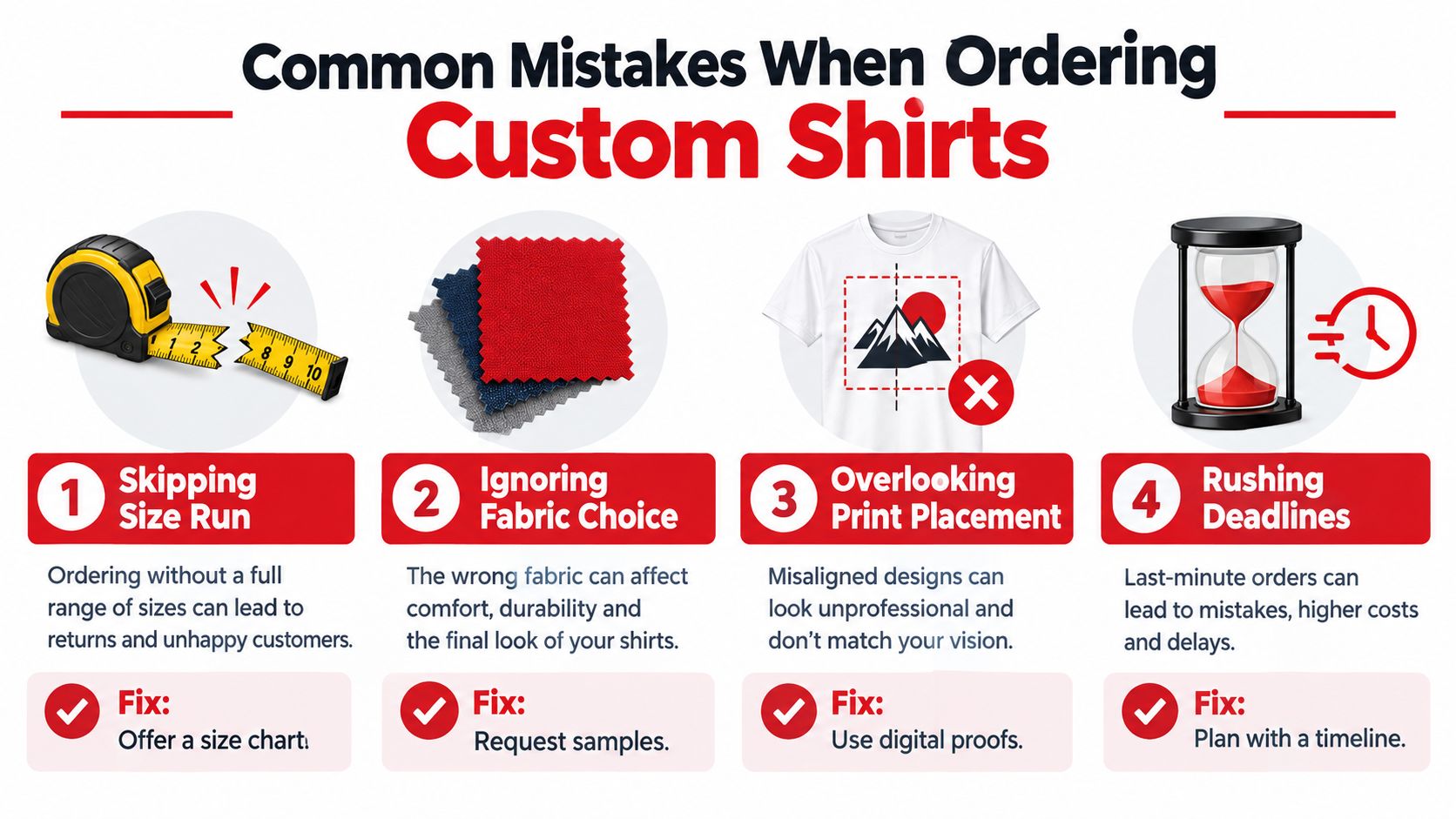
Most failed shirt orders don't fail because the buyer lacked a clever design. They fail because someone approved an assumption. The size list was guessed, the proof was viewed too small, or the deadline was treated as a suggestion until it became urgent.
Fix the preventable errors
Skipping the size run: Send a size chart or survey, collect named responses, and set a hard cutoff before the quote becomes final.
Approving a phone preview: Review a proof at 100% zoom on a suitable display, then check the design on a real shirt or torso.
Ignoring fabric composition: Confirm the garment's fiber content before selecting DTF, DTG, vinyl, or another method.
Choosing the method first: Compare the method against quantity, artwork detail, garment color, and fabric rather than assuming one process fits every job.
Giving vague revision notes: Replace “make the logo bigger” with a measurement, placement reference, or specific percentage only when the printer requests one.
Missing seams and construction: Check the print area against collars, pockets, zippers, hems, and sleeve seams in the proof.
Overlooking color handling: Supply the requested profile or color references and approve a physical sample when brand matching matters.
Skipping a single-unit test: Order a sample before a substantial run when the garment, artwork, or deadline carries meaningful risk.
Using rush service as a planning tool: Work backward from the in-hand date and reserve rush options for genuine changes, not missing preparation.
Quality problems are easier to prevent upstream than to discover after packing. A woven-shirt mass-production study reported defect reductions of 6.67% in cutting, 16.11% in sewing, and 11.11% in finishing after quality-control improvements, reinforcing the value of in-process checks rather than relying only on final inspection (apparel manufacturing quality study).
Before approving the quote, confirm five things in writing: the garment, the size breakdown, the artwork version, the print method and locations, and the in-hand date. That short checklist catches more expensive mistakes than another hour spent browsing design ideas.
Wear X Apparel, LLC supports custom DTF printing on T-shirts, hoodies, and other garments, along with garment selection, artwork intake, production, and quality checks for single items and batch orders. If you need help turning a design into a production-ready order, visit Wear X Apparel, LLC to review its custom apparel services and start a consultation.
Comments